
When a business is new, almost any method of organisation can appear to work.
There may only be a handful of customers, a small number of enquiries and a few pieces of active work.
Contact details can be saved in a phone. Quotes can be created in a document. Follow-ups can be remembered or added to a personal calendar. Invoices can be stored in a folder, and important discussions can remain in email or messaging apps.
For a while, this can feel perfectly manageable.
The problem is that the business does not remain still.
More enquiries arrive. Customers return. Work overlaps. Documents accumulate. Invoices remain unpaid. Another person may join the company and need access to information that previously lived inside the owner’s memory.
The systems that felt simple at the beginning can gradually become the source of unnecessary administration.
Choosing a straightforward business-management system early can prevent that problem before it becomes expensive and disruptive to correct.
You do not need an enterprise system on day one
Starting properly does not mean buying the largest or most complicated system available.
A new business rarely needs:
- A lengthy implementation project
- Hundreds of configuration options
- Expensive consultancy
- Features designed for a large corporate organisation
- Several disconnected specialist systems
- Complicated processes that create more work than they remove
Too much software can be just as damaging as too little.
The aim is not to predict every feature the business might require during the next ten years. It is to establish a reliable foundation for the information the business already creates every day.
That foundation should help answer basic questions: Who are our potential customers and confirmed clients? What was discussed with them? What work are we delivering? Which documents relate to it? What have we invoiced, what has been paid and what are we still owed?
Those questions are simple, but losing control of the answers creates real cost.
The early spreadsheet often becomes permanent
Many businesses begin with a spreadsheet. That is understandable: spreadsheets are familiar, flexible and inexpensive.
The difficulty is that the temporary spreadsheet often becomes a permanent business system without anyone deliberately choosing it for that role.
One spreadsheet may hold customer details. Another may track enquiries. Quotations may live in documents, work notes in email, appointments in personal calendars and invoices in folders while payments are checked against a banking application.
No single part necessarily appears broken. The problem is the lack of connection between them.
The owner must remember which file contains the latest information, where the last conversation was recorded, whether an invoice was updated, who agreed to follow up and which document belongs to which piece of work.
The business gradually becomes dependent on memory and manual checking.
Scattered information creates hidden work
Administrative waste does not always appear as one obvious problem. It often appears as dozens of small repeated tasks:
- Entering the same customer details more than once
- Searching email for an earlier conversation
- Copying information from a quote into an invoice
- Checking several places before responding to a customer
- Recreating information when someone becomes a confirmed client
- Asking a colleague whether a follow-up happened
- Manually totalling outstanding invoices
- Looking through folders for a supporting document
- Correcting records that no longer agree
Each task may take only a few minutes. Repeated across weeks, customers and members of staff, those minutes become a significant administrative cost.
This is why choosing a system early can save money even when the business is still small. It reduces the number of disconnected habits that later need to be changed.
Good structure becomes more valuable as the business grows
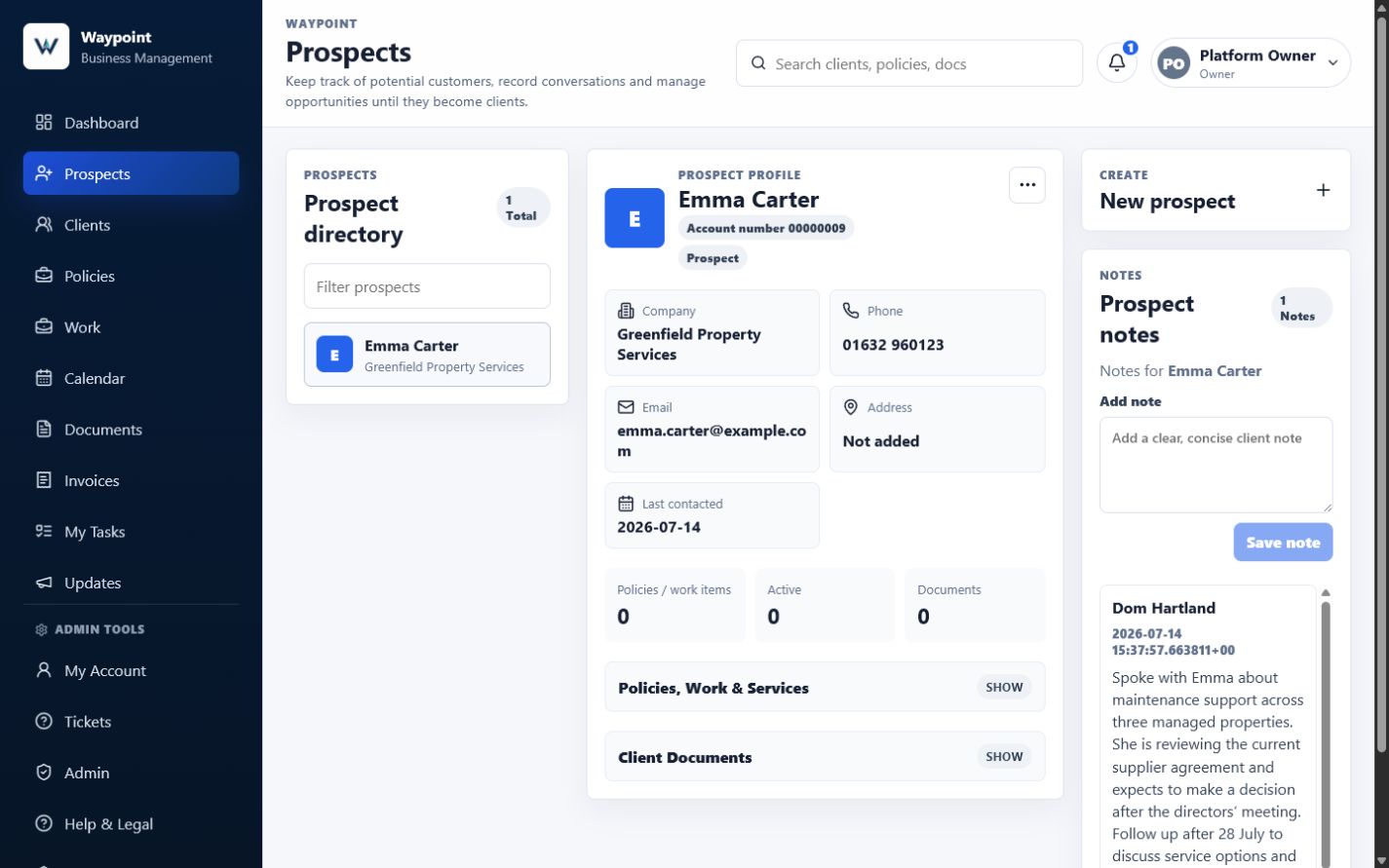
A structured Prospects area can help a new business retain enquiries, discussion notes and agreed follow-ups.
When a business begins with clear records, growth becomes easier to manage.
A new enquiry can be recorded as a prospect. The conversation and agreed next step can remain with that record. When the person decides to proceed, their existing information can continue into the client relationship rather than being entered again.
The work can then remain connected to the client. Relevant costs and documents can remain connected to the work. The resulting invoice and payment position can remain connected to the activity that created them.
This produces a natural business journey: Enquiry → Prospect → Client → Work → Invoice → Payment.
The value is not merely that each individual feature exists. It comes from information moving through the business without repeatedly being disconnected and recreated.
Move from prospect to client without rebuilding the record
When an opportunity becomes confirmed business, Waypoint can convert the prospect into a client while retaining its contact details and notes.
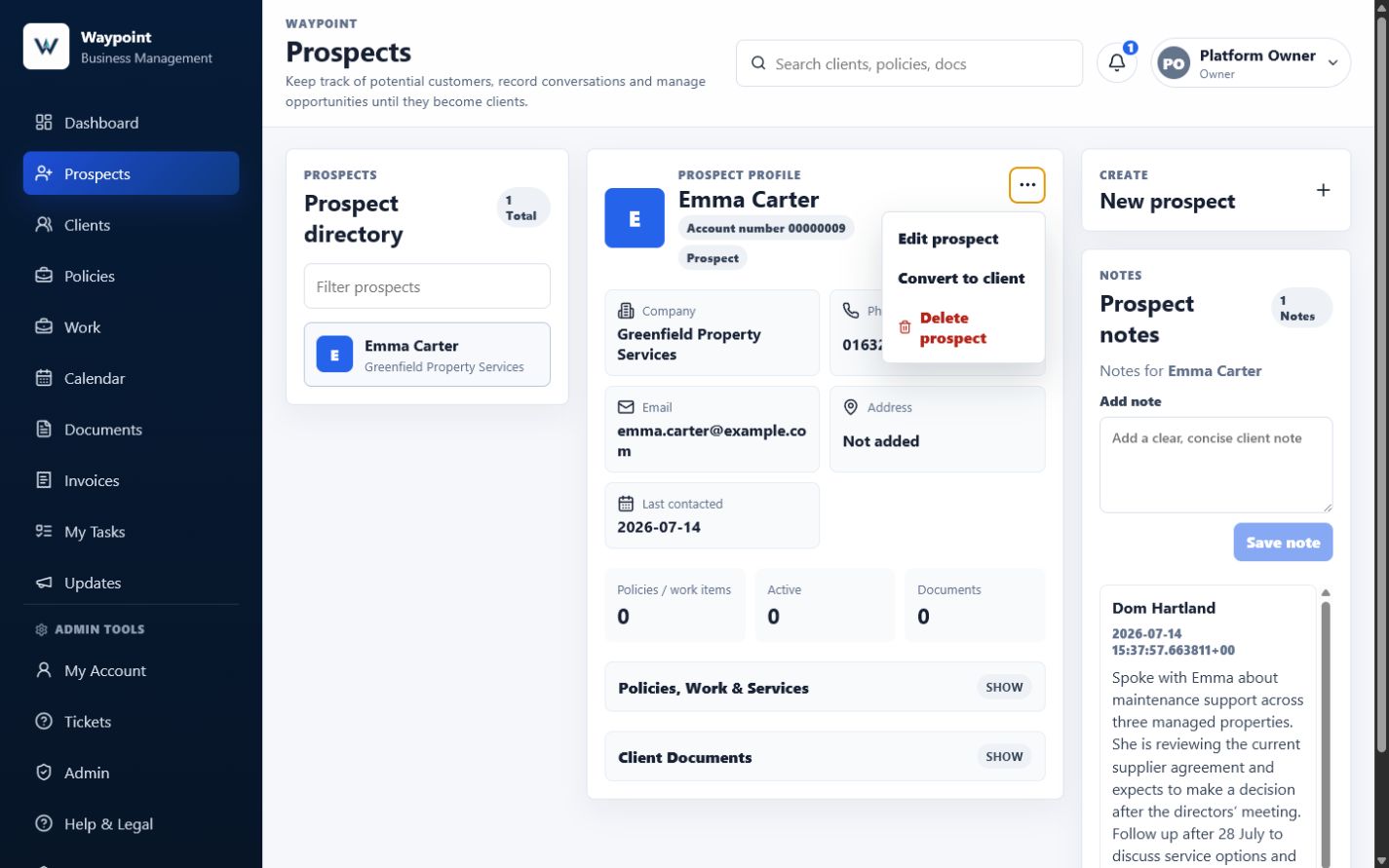
Waypoint’s current prospect record includes contact details, Lead source, Prospect stage, Next follow-up date and Requested callback date. Opportunity details and any expected value can be retained in dated notes.
The Convert to client action changes the same underlying record into a client, marks the prospect stage as Won and retains the contact details and existing notes. It then appears in Clients instead of Prospects.
This avoids rebuilding the basic customer history at the moment the business is ready to begin work.
Keep work, costs and documents connected
Once work begins, its costs, supporting documents and invoice requirements can remain connected to the client.
Recording costs as the work progresses can also help the business compare the developing position with its original estimate.
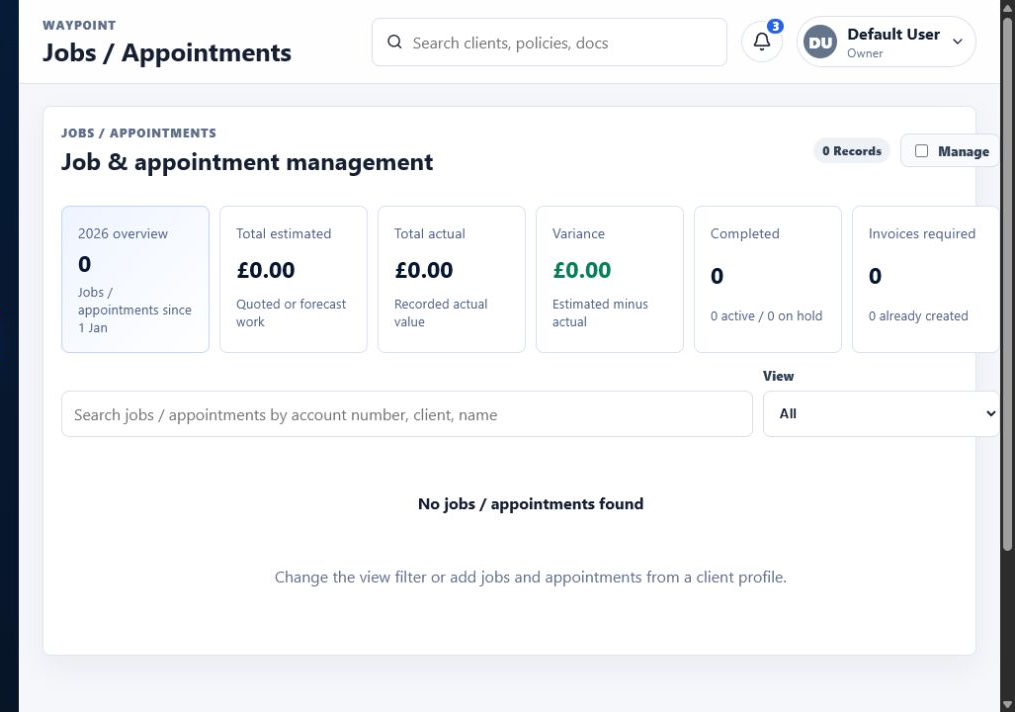
A piece of work should not become another disconnected record. In Waypoint, work is linked to the relevant client and can hold its dates, status, estimate, itemised costs and supporting documents.
Where Requires Invoice is selected, completing the work can support invoice generation from the information already connected to the record.
This creates a clearer operational trail from the customer request to the work completed and the costs recorded along the way.
Keep the invoice and payment position visible
After invoicing, the Finance area provides visibility of payments, outstanding balances and overdue amounts.
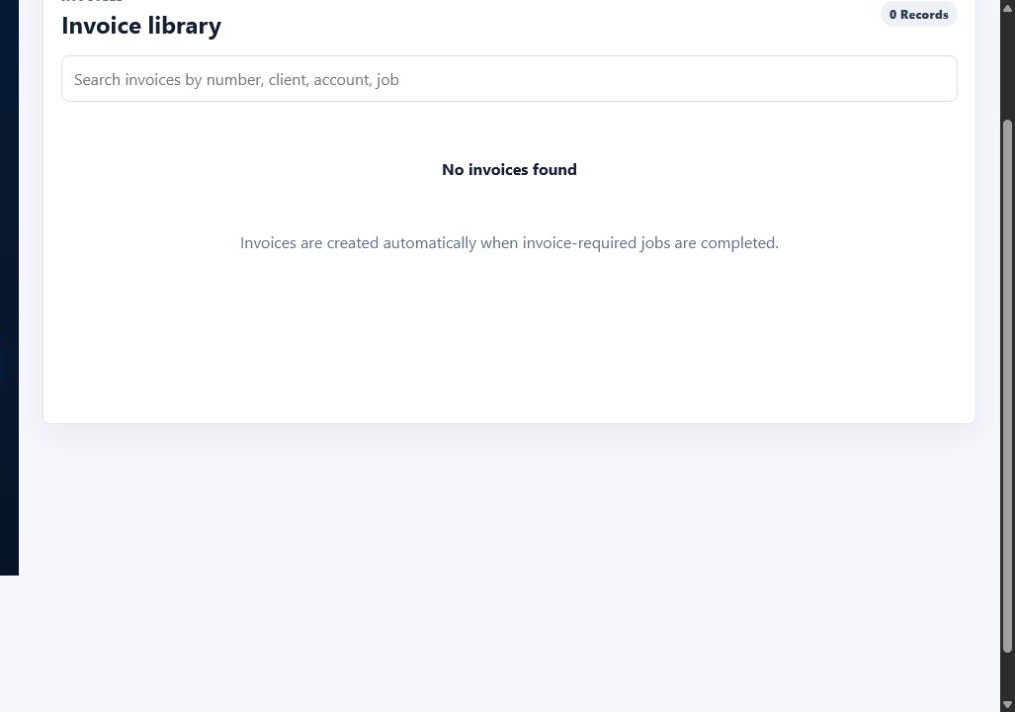
Recording a payment against an invoice updates its paid and outstanding position. The Finance view summarises invoiced, paid, outstanding and overdue values for the selected period.
Waypoint provides operational financial visibility rather than replacing professional bookkeeping or accounting software. Its purpose is to make the position behind everyday work easier to understand.
Avoid rebuilding the customer history later
Moving into a proper system becomes more difficult once years of records have accumulated.
Customer details may exist in several formats, names may be inconsistent, notes may be incomplete, documents may lack a clear naming structure and invoices may need to be matched with payments manually.
Before a new system can provide value, the business may first need to clean, reorganise and migrate everything it has already created. Some information may never be recovered properly.
Starting earlier does not remove every future migration or change, but it gives the business cleaner information and more consistent habits from the beginning.
Make the business less dependent on memory
During the earliest stage of a company, the owner may know every customer personally and remember each enquiry, quotation and delayed decision.
That knowledge can make a formal system feel unnecessary. However, a business that depends entirely on one person’s memory is difficult to scale and becomes vulnerable when that person is busy, away, unwell or handing activity to somebody else.
A good business system does not replace personal relationships. It preserves the information needed to maintain them properly.
When someone contacts the company, an authorised person should be able to understand who they are, what has happened and what needs to happen next.
Help the first new team member succeed
The point where another person joins the business often exposes weak organisation. Instructions that were obvious to the owner may never have been written down, and customer information may be stored in personal accounts.
A shared business-management system provides a clearer starting point. Authorised Waypoint users work within their organisation’s workspace, with permissions controlling the areas and actions available to them.
That makes delegation more realistic and reduces the number of questions that require the owner’s direct involvement.
Choose a system that can grow without controlling the business
A new company should not shape its entire operation around the limitations of one piece of software. The system should support the business rather than dictate every process.
When considering a business-management platform, look for a foundation that can support the areas that matter as the business develops:
- Prospects and new enquiries
- Contact details and conversation notes
- Follow-up dates
- Clients
- Work, tasks and appointments
- Documents and itemised costs
- Invoices, payments and outstanding balances
- Data exports
- User permissions
Not every business will need every area immediately. The important point is that the foundation can develop without forcing basic records to be rebuilt whenever a new requirement appears.
Keep ownership of your business information
Convenience should not mean losing control of the underlying information.
Before committing to any platform, ask whether data can be exported, how users and permissions are controlled, how each organisation’s information is separated, how backups and recovery are handled, what happens if the company leaves, whether important activity is recorded and whether the system is actively maintained.
Waypoint provides supported data exports, role-based access and separate organisation workspaces. Questions about backup, recovery and offboarding should still be confirmed against the current service terms before a purchasing decision.
A business-management platform may become part of the company’s daily operation. The decision deserves more consideration than choosing whichever tool has the longest feature list.
Start with one place for the truth
The most important early decision is not the colour of the dashboard or the number of available reports. It is deciding where the reliable version of the business’s information will live.
When a customer calls, where should their details be checked? When a prospect returns after six months, where should the earlier conversation be found? When work changes, where should the latest costs and documents be recorded? When an invoice remains unpaid, where should the correct balance be visible?
When several systems contain different answers, the business must spend time deciding which one is right. One reliable source removes that ambiguity.
How Waypoint supports a growing business
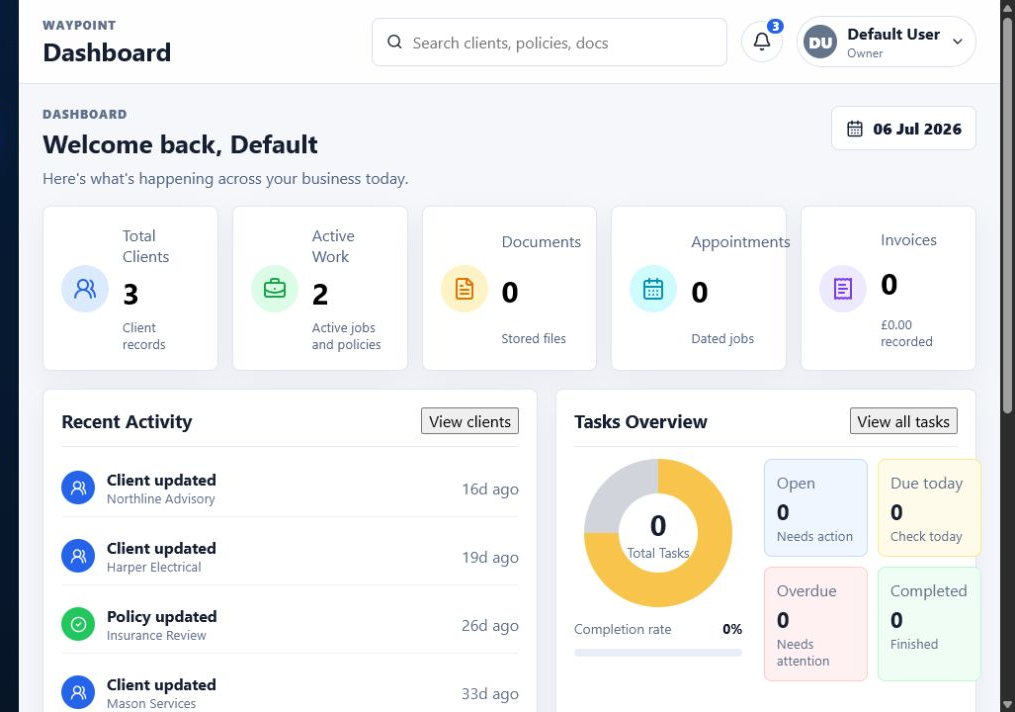
Waypoint is designed to bring the everyday information used by a small business into one connected platform.
A business can use it to manage prospects and enquiries, follow-up dates and notes, client records, work and itemised costs, tasks and appointments, supporting documents, invoices, payments and operational financial information.
The platform is not intended to replace professional accounting software, specialist regulatory systems or every industry-specific application. Its purpose is to give the business a reliable operational home.
The customer, the work and the financial position remain connected rather than being recreated across several unrelated tools.
Starting small is not the same as thinking small
A new business should remain lean. It should avoid unnecessary expenses, overcomplicated processes and technology that does not solve a real problem.
But remaining lean does not mean allowing information to become disorganised. Choosing a sensible foundation early is one of the simplest ways to protect future time.
The business can begin with the areas it needs and introduce more structure as its activity grows. The system does not need to be complicated. It simply needs to remain reliable as more customers, records and responsibilities arrive.
The best time to organise the business
There is rarely a perfect moment to replace years of disconnected records. Once the business becomes busy, organisation is continually postponed because customer work feels more urgent.
That is why the best time to create good information habits is near the beginning: before spreadsheets multiply, customer histories become scattered, another person needs access, outstanding invoices become difficult to follow and moving systems becomes a major project.
A new business does not need everything figured out on its first day. But it should know where the truth about the business will live.
Frequently asked questions
Does a new business need CRM or business-management software immediately?
Not every new company needs a large or complicated platform. However, establishing one reliable place for customer and operational information early can prevent fragmented records and duplicated administration later.
Why not begin with spreadsheets?
Spreadsheets can work well for individual tasks. Problems arise when several spreadsheets, documents, calendars and inboxes collectively become the business’s main operating system without sharing a reliable version of the same information.
What information should a new business organise first?
A useful starting point includes prospects, client details, previous conversations, follow-up dates, active work, supporting documents, invoices and payments.
Can a business change systems later?
Yes. Businesses often change platforms as their requirements develop. Consistent, well-structured records and reliable export options make that transition significantly easier.
Should business software replace accounting software?
Not necessarily. A business-management platform can provide operational visibility while specialist accounting software remains responsible for bookkeeping, VAT, statutory reporting and other formal accounting requirements.
Is business software worthwhile for a sole trader?
It can be. A sole trader may initially manage everything from memory, but a structured record becomes valuable as the number of enquiries, customers, work items and invoices grows.
What should a business check before choosing a platform?
Consider how the system handles data export, user access, security, backups, customer support, ongoing development and the connection between prospects, clients, work and financial activity.